Work on This
Work on This starts a Claude Code session for an issue. It’s on the issue page’s toolbar, in the context menu of rows in Issues › All, and in the issue’s window and drawer.
Starting a session
Section titled “Starting a session”The session runs in your project’s harness, so there’s no repo to pick. Claude makes a worktree per repo the issue touches. A sheet asks which of the team’s prompts and skills to use and lets you add a note; with sandboxing on, it also has Run in. Where it runs is covered in Choosing where sessions run.
If the harness records sessions, Gannin asks before committing the session’s brief to it. Settings › Harness has Ask before recording a session for each project, and the dialog has Don’t ask again for that project.
An issue that already has a session shows Open Session instead.
The Claude Code window
Section titled “The Claude Code window”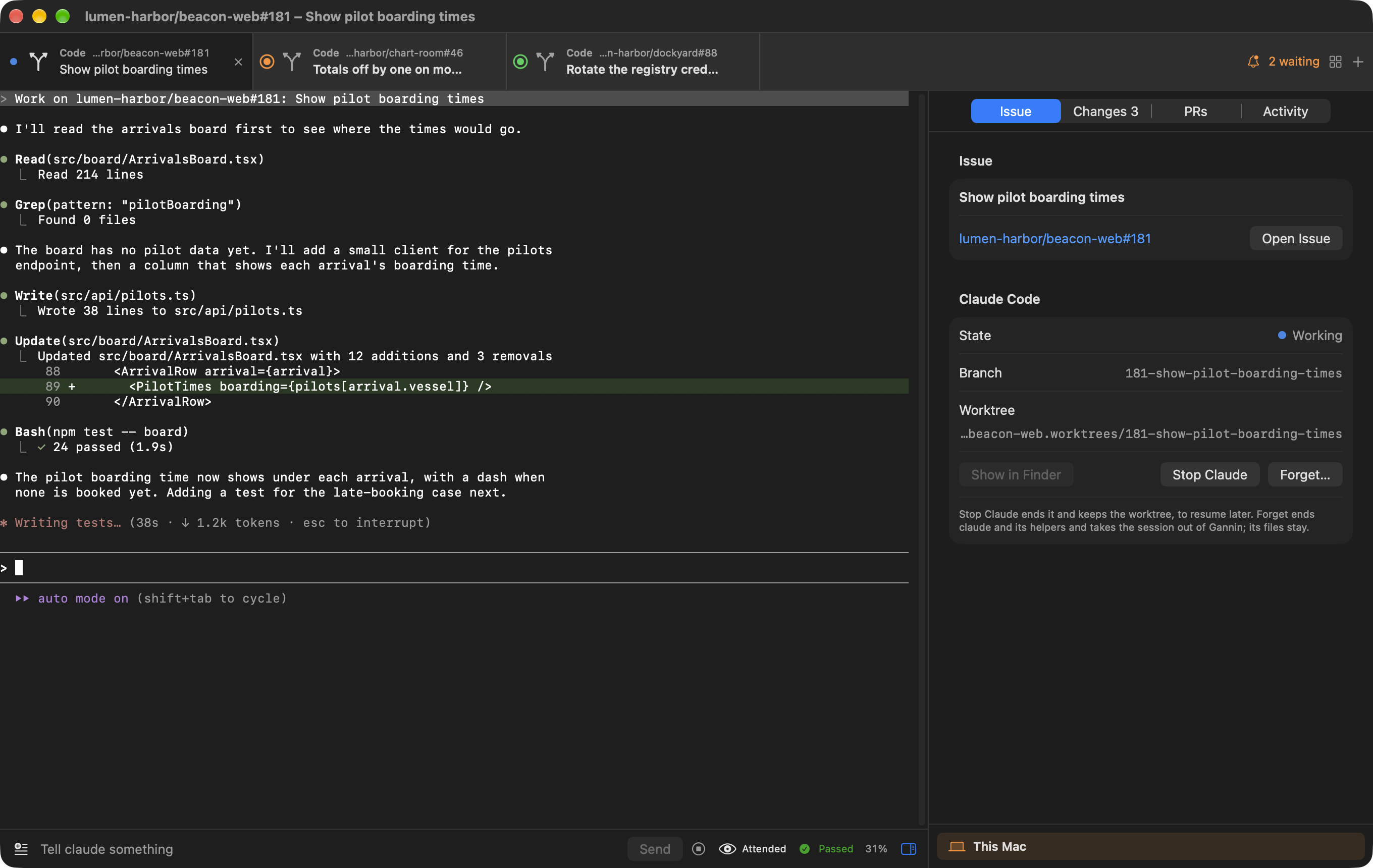
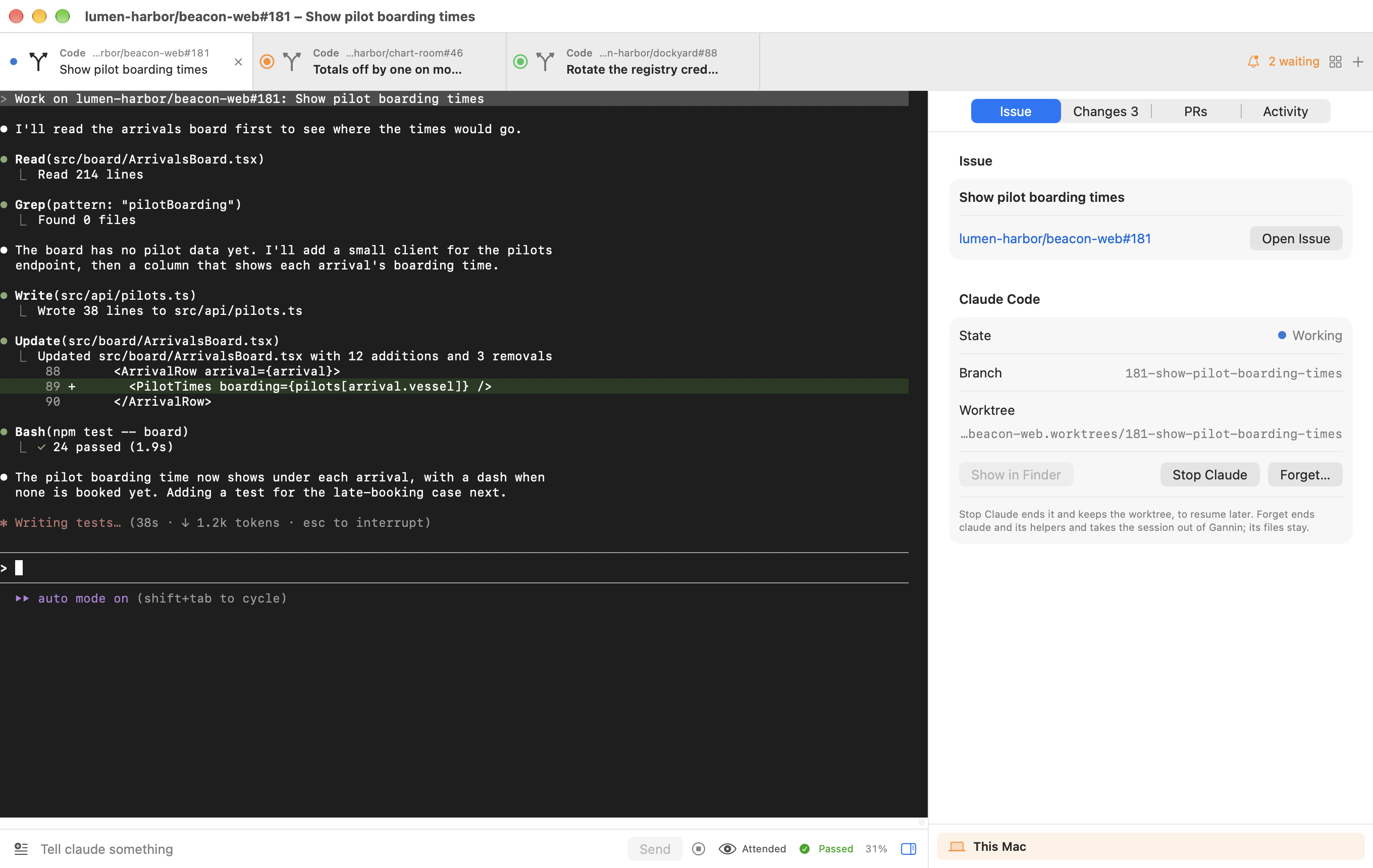
Every session opens as a tab in the one Claude Code window. Tabs are remembered across launches.
- Each tab shows an icon for its kind, and the issue or PR above its title.
- + opens a popover with New Ask, Quick Change and Plan buttons over a list of sessions you’ve started that have no tab open.
- Review tabs sit together after the work tabs (issue work, plans, Asks, Quick Changes and new drafts), with a divider between the groups when both are open.
- Drag tabs into order within their group; dropping one across the divider leaves it in its own group. Rename Tab (or double-click) names one; clearing the name goes back to the title.
- When Claude has quit, whether its shell is still open or the terminal has ended, a Resume button over the terminal ends the shell and starts Claude again where the conversation left off.
- Close Tab (or ⌘W) closes the tab and leaves Claude running. For an issue’s own session or a quick change that’s running, Gannin first shows a wrap-up sheet with Claude’s state, its PRs, and uncommitted or unpushed work. It offers Keep Running (the default), Stop Claude, or, once every PR is merged, Finish and Clean Up. Turn the question off in Settings › General › Agent with Ask to wrap up when closing a session’s tab.
- Show Beside puts two tabs side by side, and the grid in the tab bar shows every session, with your work and your reviews in separate sections.
Helpers (such as a reviewer) have no tab of their own. They appear inside their session’s tab, under a switcher of Work and each helper by role.
The side panel
Section titled “The side panel”Each tab is a terminal beside a panel. You can drag the panel narrower and hide it from the composer.
- Issue (Session for an Ask or a helper): the issue’s state, files attached for Claude, and its plans and requirements from the harness. Drop files anywhere on the panel to attach them; see Attachments.
- Changes and PRs: see Changes and pull requests.
- Activity: events, cost, time working against waiting, files edited, the last test or build, and how full Claude’s context is. Plans Claude writes appear here with Read, Approve Plan and Request Changes.
The composer
Section titled “The composer”Under the terminal: a box to tell Claude something, with thumbnails above it of the attachments going with your next prompt, your saved prompts (⌃1 to ⌃9, edited in Settings), a stop button for interrupting mid-turn, the Attended or Unattended menu, the context gauge with Compact Now, and the result of the last test or build.
When Claude needs you
Section titled “When Claude needs you”When Claude asks a question, the question and its options float over the terminal and also show on the Agents page. A permission prompt shows the command with Allow and Deny.
A session that moves to Needs you, or finishes its turn while you aren’t looking at its tab, is flagged: its tab is marked, the Dock icon counts it, and a notification opens the tab. Notifications follow Settings › General › Agent (Notify when a session needs you). The tab bar’s waiting count, or ⇧⌘J, goes to the session that has waited longest.
Finishing
Section titled “Finishing”Once every PR is merged, or the session has been idle for three days, Finish and Clean Up removes its worktrees and forgets the session. Forget removes it without cleaning up.
Settings
Section titled “Settings”Settings › General › Agent picks the model sessions start with (blank leaves it to Claude Code). Anthropic is the only provider.